Vectorworks won't open on macOS 27: the Support library fix
Vectorworks 2025 and earlier quit on macOS 27 with "Failure loading Support library". Why it happens, what Vectorworks says, and our free, reversible fix.

Stabilise
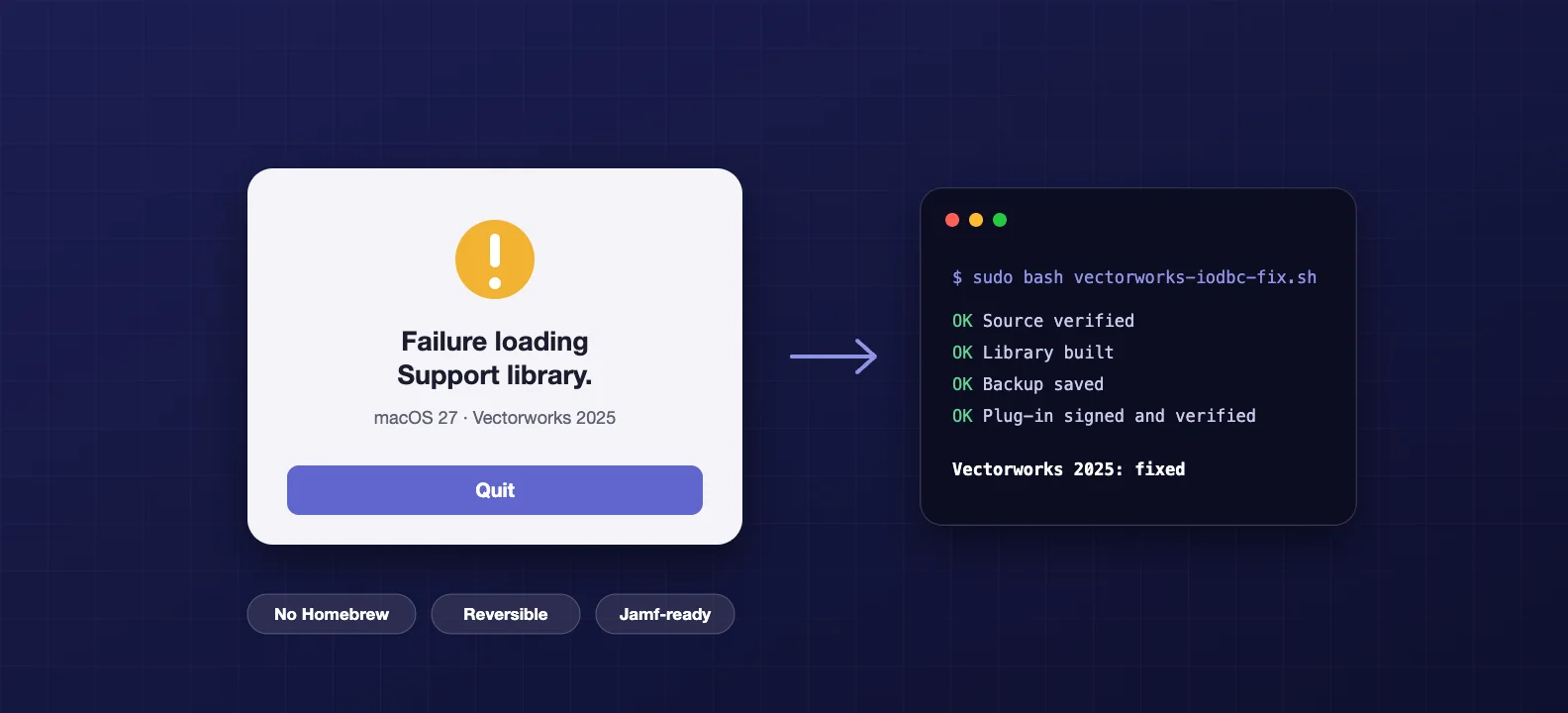
If Vectorworks quits the moment you open it on macOS 27 with "Failure loading Support library", your licence and files are fine. macOS 27 removed a small database library, iODBC, that part of Vectorworks is linked to. Without it, Vectorworks can't load its Support plug-in and it gives up. Vectorworks says 2026 Update 6 is the minimum version for macOS 27. It hasn't released anything for 2025 or earlier.
If you're on 2025 and already upgraded, we've published a free fix on GitHub (opens in a new tab) that gets it launching again. It doesn't need Homebrew, it doesn't turn off any security features, and one command undoes it. If you haven't upgraded yet, don't. Defer macOS 27 until you're on a supported version of Vectorworks.
That's the short version. The rest is the detail, including how to roll the fix out across a practice.
Why Vectorworks breaks on macOS 27
Vectorworks keeps a lot of its core code in a plug-in called Support.vwlibrary, inside the Plug-ins folder of the install. That plug-in is linked to iODBC, an open-source library from OpenLink Software that lets apps talk to databases through the ODBC standard. For years, macOS shipped a copy of it at /usr/lib/libiodbc.2.dylib.
macOS 27 doesn't. We checked on a Mac running 27.0 and the file just isn't there. We also couldn't find the removal in Apple's macOS 27 release notes, which is part of why this caught everyone out.
So when Vectorworks starts, macOS goes looking for the library at the exact path the plug-in asks for, finds nothing, and the plug-in fails to load. Vectorworks shows the error and quits. Other languages show their own translation, for example "Error al cargar la biblioteca de compatibilidad" in Spanish.
You can't fix this by putting a copy back in /usr/lib either. That folder sits on the read-only, signed system volume, and it's meant to stay that way.
Which Macs and versions are hit
Apple silicon Macs on macOS 27. That's every Mac that can run 27, since Apple dropped Intel with this release.
Vectorworks 2025 is confirmed. Our own testing was on 2025 Update 8. The community project that first diagnosed the fault lists 2024 as community-reported and 2026 as unverified. One user has reported the same error and a manual repair on Vectorworks 2022 SP6.
Vectorworks 2026 Update 6 or later is the vendor route. From Vectorworks' macOS 27 tech bulletin (opens in a new tab): "Vectorworks 2026 Update 6 is required for Golden Gate support. Earlier versions of Vectorworks may not launch correctly." The same bulletin says the company "has not yet completed validation against Apple's final public release", and it recommends that customers relying on Vectorworks for production work "wait to upgrade to macOS 27 Golden Gate until Vectorworks announces official compatibility."
So even the supported version is supported with a caveat for now. A forum moderator summed up the position for 2025 bluntly on 21 September: there may be a fix in future, "but for now it's the community fix only."
If you haven't upgraded yet: don't
This is the cheapest fix there is. If your Macs are still on macOS 26 Tahoe, keep them there until your Vectorworks version is officially supported on 27.
On managed Macs, that's a deferral. Apple's software update settings for Declarative Device Management let you hide a major upgrade for between 1 and 90 days (opens in a new tab) after release. macOS 27 came out on 14 September, so a 90-day deferral covers you into mid-December. Set it to the maximum. There's no prize for using less.
Set it up declaratively if you can. As we covered in our macOS 27 upgrade checklist, the old profile-based update controls stop working entirely on macOS 27, so on any Mac that does get there they mean nothing.
If your Macs aren't managed, it's lower-tech: tell people not to click the upgrade button until you say so.
If you've already upgraded: the fix
Say someone upgraded over the weekend and now can't work. Rolling macOS back means erasing and reinstalling, so that's rarely the right move. This is the case we built the fix for.
The first fix came from the community. Wagner R. Ponce (ANIFONIX) diagnosed the fault and published a workaround (opens in a new tab) on 15 September, the day after macOS 27 shipped. Credit where it's due, that's the work everyone else built on. His method installs Homebrew and points Vectorworks at Homebrew's copy of iODBC in /opt/homebrew.
That works, but Homebrew is a big permanent addition to a Mac whose only job here is to supply one file. On a managed studio Mac we'd rather not leave it behind. And if someone later updates or removes Homebrew, Vectorworks breaks again for a reason nobody will connect.
So we built one that keeps everything inside Vectorworks. It follows an approach Mike Hayes reported working on Vectorworks 2022 SP6, and it goes like this:
- It builds iODBC from source. It uses OpenLink's official 3.52.16 release, the same version Homebrew ships, and checks the source against a fixed SHA-256 checksum before compiling it with Apple's own tools.
- It puts the library inside the Support plug-in, in
Contents/Frameworks, which is where Apple's guidelines put a bundle's own libraries. - It changes one reference. The plug-in stops asking for
/usr/lib/libiodbc.2.dyliband asks for the copy that sits next to it. - It re-signs only that plug-in. Changing the plug-in breaks its signature, so it gets a local ad hoc signature. The Vectorworks app itself keeps its original one.
Before it changes anything, it checks that the plug-in's original Vectorworks signature is intact and that every iODBC function the plug-in uses exists in the new library. It takes a backup and verifies it file by file. Then it makes all its changes on a staging copy and swaps that in only once it checks out. If the Mac loses power halfway through, the original is still there.
It never touches your licence, your settings or your files, and it doesn't write anywhere in macOS. It doesn't switch off System Integrity Protection, Gatekeeper or anything else.
Running it
You need an admin account and Apple's free Command Line Tools. If you don't have them, run xcode-select --install in Terminal. Quit Vectorworks, download the repository from GitHub, open Terminal in the downloaded folder, and check first. The check changes nothing:
sudo bash vectorworks-iodbc-fix.sh --check
If it reports Needs the fix, apply it:
sudo bash vectorworks-iodbc-fix.sh
Then open Vectorworks and check it starts, it's still licensed, and you can open and save a file. To undo everything:
sudo bash vectorworks-iodbc-fix.sh --rollback
The README (opens in a new tab) walks through every step, shows the output you should expect, and has a troubleshooting table for each message the script can show.
Remember to rerun it after every Vectorworks update. Updates replace the Support plug-in, which removes the fix. The script spots the new version, takes a fresh backup and applies it again. If Vectorworks ever ships an update that doesn't need the missing library, the script reports it as not affected and leaves it alone.
Rolling it out across a practice
This is the part we couldn't find anywhere else, and it's the part that matters if you look after more than two Macs.
The script runs unattended from a Jamf Pro policy. Parameter 4 sets the action (apply, check or rollback) and parameter 5 limits it to one install if you need to. It never waits for confirmation under Jamf. It refuses to run while Vectorworks is open and exits with a failure, so scope it to login or check-in and let it retry.
The repository also includes a Jamf extension attribute. It reports Needs Fix, Fixed, Patched By Homebrew Method, Not Affected or No Vectorworks for each Mac. Build a smart group on Needs Fix, scope the policy to it, and a Mac that takes a Vectorworks update drops back into the group and gets fixed again at its next check-in.
Deploy the Command Line Tools first. Also, when the script runs on its own from Jamf it downloads the iODBC source from GitHub, so the Macs need to reach github.com. If yours can't, deploy the whole repository as a package instead.
How we tested it
We installed Vectorworks 2025 Update 8 in a throwaway virtual machine, upgraded it to macOS 27.0, and confirmed the error. Then we ran the script. Vectorworks launched with the added library loaded, and a second run correctly did nothing.
The rollback restored the original Support file byte for byte, with its Vectorworks signature, and the original error came back. We also tested that it refuses while Vectorworks is open, the Jamf run, and the script running on its own and downloading its source.
2024, 2026 and older versions should work wherever the check matches, but we haven't tested them on a real install yet. If you run it on one of those, tell us how it went (opens in a new tab) and we'll add it to the compatibility table.
The honest caveats
This is an unofficial workaround. We're not affiliated with Vectorworks or Apple, and neither supports it. It modifies a component inside your Vectorworks install. It keeps a full backup and can put it back at any time, but you run it at your own risk.
The proper long-term fix is a Vectorworks version built for macOS 27. For most practices that means planning the move to 2026 Update 6 or later, with a deferral holding the rest of the fleet on Tahoe until Vectorworks confirms compatibility. The script is there for the Macs that got to 27 first.
If you'd rather someone else handled the deferral, the fix and the Vectorworks upgrade across your studio, that is the kind of work we do for architecture practices.
Frequently asked questions
- Why does Vectorworks say "Failure loading Support library" on macOS 27?
- Part of Vectorworks called the Support plug-in is linked to an open-source database library, iODBC, that older versions of macOS shipped at /usr/lib/libiodbc.2.dylib. macOS 27 no longer includes that file. When Vectorworks starts, the plug-in cannot find the library, so it fails to load and Vectorworks quits. Nothing is wrong with your licence, your files or your Mac.
- Which versions of Vectorworks are affected?
- Vectorworks 2025 is confirmed, on Apple silicon Macs running macOS 27. Community reports cover 2024 and 2022 as well. Vectorworks' own bulletin says 2026 Update 6 is the minimum version for macOS 27 and that earlier versions may not launch. Intel Macs cannot run macOS 27 at all, so they are not affected.
- Has Vectorworks released an official fix for 2025?
- Not as of 25 September 2026. Vectorworks' macOS 27 bulletin names 2026 Update 6 as the minimum version, says validation against the final release is still in progress, and advises production users to wait before upgrading. It has not announced a patch for 2025 or earlier.
- Is the Stabilise fix safe to run?
- It is unofficial, so use it knowing that. It changes one component, the Support plug-in, and nothing else in Vectorworks or macOS. It takes a verified backup first, applies the change to a copy, and only swaps it in once it checks out. A single rollback command puts the original back exactly, with its original Vectorworks signature. It never turns off a macOS security feature.
- Do I need to run it again after a Vectorworks update?
- Yes. Vectorworks updates replace the Support plug-in, which removes the fix, so Vectorworks will fail to start again on macOS 27. Run the script after every update. On Jamf, the included extension attribute moves the Mac back into a Needs Fix group so a policy can reapply it automatically.