Okta vs Entra ID vs Google vs JumpCloud: Choosing an Identity Provider for a Mac-First Business in 2026
Okta, Microsoft Entra ID, Google Workspace and JumpCloud compared for Mac-first businesses: Platform SSO, Apple Business Manager federation and 2026 pricing.

Stabilise
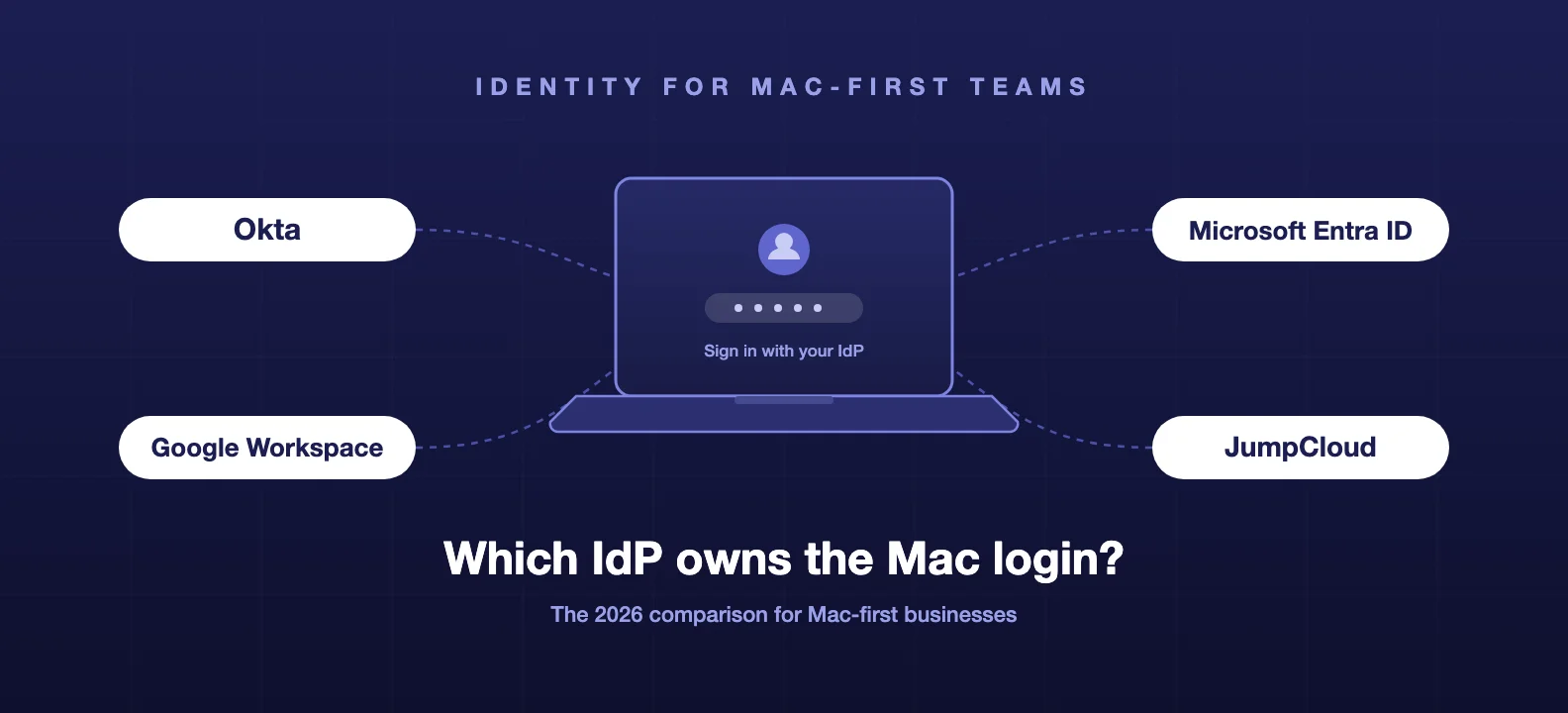
Pick your identity provider by how it treats the Mac login window, not by the SSO feature grid. Every vendor on this page can put a login box in front of Salesforce. Only some of them can put your company credentials on the Mac itself, and the gap between them is wide.
Here is the short version. Microsoft Entra ID is the default answer for Microsoft 365 shops: Platform SSO is generally available, deploys through Intune or Jamf Pro, and the licence is already inside Business Premium. Okta has the strongest security ceiling of the four, with Secure Enclave-backed Platform SSO and phishing-resistant FastPass, but the Mac login piece lives in Okta Device Access, which is quote-priced.
Google has no Platform SSO extension at all, so Google Workspace shops need a bridge like Jamf Connect. And JumpCloud skips Apple's framework entirely, bundling directory, MDM, and the Mac login into one agent at a published price.
The rest of this post is the evidence, from vendor documentation and from fleets we run.
The 2026 landscape in one paragraph
Entra ID is the volume player: if your business runs Microsoft 365, you already own it, and Microsoft has spent two years making it a genuinely good Mac citizen. Okta is the vendor-neutral choice with the deepest device trust story on macOS, priced accordingly and sold in suites. Google is a strong identity platform with mature passkey support that has simply never shipped the Mac login piece. JumpCloud is the consolidator, aimed at smaller teams that want directory, SSO, MFA, and Mac management from one console and one invoice.
We compared the broader field, including OneLogin, Ping, and the open-source options, in our identity platform showdown. This post is the Mac-first cut of that decision.
Why the Mac login window is the real test
For years, Macs had a split personality problem. The Mac password and the identity provider password were two different things that drifted apart, and IT spent its life explaining which one to type where.
Apple's fix is Platform SSO, a framework that lets an identity provider live at the macOS login window itself. Sign in to the Mac, and you are signed in to everything. Done properly it also means MFA happens before the desktop appears, not after. macOS 26 Tahoe made setup smoother during Automated Device Enrolment, and macOS 27 goes further this autumn with a web-based login window and Touch ID by policy. We covered the mechanics in Platform SSO on macOS 27.
That is why the IdP question looks different on a Mac fleet. The evaluation is not "does it do SAML", they all do. It is four sharper questions:
- Can it drive the Mac login window through Platform SSO?
- Does it federate with Apple Business Manager for Managed Apple Accounts?
- What does MFA feel like on Apple hardware, day to day?
- What does it cost once you include the Mac pieces?
Which identity providers support Platform SSO on macOS?
| Platform SSO | Modes | What it needs | Status | |
|---|---|---|---|---|
| Microsoft Entra ID | Yes, first party | Secure Enclave key, smart card, or password sync | Company Portal app, deployed via Intune or Jamf Pro, macOS 13+ | Generally available |
| Okta | Yes, first party | Desktop Password Sync or Secure Enclave keys | Okta Device Access, Identity Engine, Okta Verify, macOS 14+ on Apple silicon | Shipping; Secure Enclave mode added 2026 |
| Google Workspace | No | Bridge via Jamf Connect, XCreds, or similar | Third-party tool plus MDM | No first-party extension |
| JumpCloud | Sidesteps it | Agent manages the local account; JumpCloud Go for web SSO | JumpCloud agent, enrolled device | Shipping |
Microsoft is furthest along. Platform SSO for macOS with Entra ID is generally available (opens in a new tab), with three authentication methods, and registration during Automated Device Enrolment went GA as well, so a new Mac can come out of the box already bound to Entra. You do not need Intune to use it; the configuration deploys from Jamf Pro just as happily, which is how we ship it.
Okta treats the Mac as a first-class device, but through a paid door. Platform SSO lives inside Okta Device Access (opens in a new tab) and requires Identity Engine, Okta Verify, and Apple silicon on macOS 14 or later. The interesting move came this year: Secure Enclave-backed keys (opens in a new tab), which drop password sync entirely in favour of hardware-bound credentials. On macOS 26 Tahoe, Okta can also insert itself into Setup Assistant during Automated Device Enrolment, so the very first thing a new starter sees is an Okta sign-in. Authenticate first, provision second.
Google is the surprise gap. There is no Google Platform SSO extension, no roadmap statement, nothing. If you want Google credentials at a Mac login window, a bridge tool does the work: Jamf Connect or the open-source XCreds put a Google-backed login screen on the Mac and keep the local password in sync. This works fine, we run it for clients, but it is an extra agent and, in Jamf Connect's case, an extra licence. When someone claims "we're a Google shop so identity is sorted", the Mac login window is the part that is not.
JumpCloud answers a different question. Its agent creates and manages the local macOS account directly, so the JumpCloud password simply is the Mac password, and JumpCloud Go adds hardware-backed, phishing-resistant sign-in to web apps using Touch ID. No Platform SSO required, because JumpCloud is also the directory and the MDM. That consolidation is the whole pitch.
What about Managed Apple Accounts and Apple Business Manager federation?
Managed Apple Accounts used to be something you could mostly ignore. Not any more. Apple keeps attaching things to them: device enrolment, app licensing, iCloud controls, activation lock recovery, and now the management switches for Apple Intelligence. Federation is what makes them usable at scale, because staff sign in to their Managed Apple Account with the same credentials as everything else, and accounts appear automatically instead of being hand-created.
Apple Business Manager federates natively with Microsoft Entra ID and Google Workspace, and Apple opened the door to everyone else with custom identity provider support built on OIDC for sign-in, SCIM for directory sync, and the OpenID Shared Signals Framework for security events. Okta documents the full integration (opens in a new tab): federated authentication, automatic Managed Apple Account provisioning from Okta directory data, and Okta notifying Apple when something security-relevant happens to an account. You need Single Sign-On, Universal Directory, and Lifecycle Management on the Okta side.
The practical read: all four platforms can live with Apple Business Manager, but Entra and Google get there with the least configuration, and Okta's version is the most capable once set up because the SCIM sync and security signals come with it.
What does MFA feel like day to day?
Feature lists hide the thing users notice most: what happens at every single sign-in.
Okta FastPass is the strongest experience we have deployed. We recently enforced it across a 110-person AI company, on a customer-driven deadline, in under two weeks. The credential is generated and held in the Mac's Secure Enclave, released only by Touch ID, and cryptographically bound to the Okta tenant. There is no code to type, no push prompt to fat-finger approve, and nothing for a phishing page to capture. We removed TOTP, SMS, and standalone push as acceptable factors entirely, and 196 Google and GitHub identities landed on NIST AAL3. The full write-up is in the case study.
Microsoft has closed most of the gap. Authenticator now holds device-bound passkeys, FIDO2 security keys are mature, and on a Mac with Platform SSO the Secure Enclave key means the login window itself is doing phishing-resistant authentication before the desktop loads. The everyday experience for a Business Premium shop is Touch ID and the occasional Authenticator prompt, which is a long way from the code-typing era.
Google was earliest to passkeys and it shows: enrolment is smooth, Safari and Chrome on macOS both cooperate, and Titan keys slot in for high-risk roles. The weakness is not the factor, it is that the strong factor only guards the browser session. Without the login window piece, the Mac itself is still protected by whatever local password the user chose.
JumpCloud Go is genuinely phishing-resistant, hardware-bound, and pleasant to use. One concrete quirk from the field: it requires the Mac's onboard Touch ID sensor, so it does not work with the lid closed on a docked laptop. If your office is full of clamshell-mode MacBooks driving external displays, your users will meet that limitation in week one.
One UK note: Cyber Essentials requires MFA on cloud services, and any of these four clears that bar. The phishing-resistant options clear it with room to spare, and they are what customer security questionnaires increasingly ask for by name. Whichever you pick, plan the recovery path before enrolment day; we wrote up why passkey rollouts fail on recovery, not cryptography.
Pricing in 2026
List prices in July 2026, per user per month, from vendor pricing pages. USD where no UK list price is published. Treat all of these as starting points; identity vendors negotiate.
| Entry price | What the Mac login really costs | Watch for | |
|---|---|---|---|
| Microsoft Entra ID | P1 at $6, P2 at $9 | Nothing extra. Included in Microsoft 365 Business Premium (roughly £18 per user on UK list) | Conditional Access needs P1; you likely own it already |
| Okta | Starter suite from $6, Essentials from $17 | Device Access sits in the quote-priced Professional and Enterprise suites | Annual billing only; the headline $6 does not include the Mac pieces |
| Google Workspace | Identity included with Workspace; Cloud Identity Premium $6 standalone | A Jamf Connect or similar licence on top, since there is no first-party option | The bridge tool is the hidden line item |
| JumpCloud | SSO $11; full Platform $19; Platform Prime $24 | Included, because the agent is the login | Per-user cost looks high until you cancel the separate MDM |
Three observations from quoting these for real fleets.
Entra ID is close to free for most UK SMEs. Business Premium is already on the bill, which is why "we'll just use Entra" is the default answer we hear.
Okta's public pricing understates a Mac-first deployment. The capabilities in this post are exactly the ones behind the quote wall. Make sales put the Device Access number in writing.
JumpCloud's sticker shock fades when it replaces two or three other products. And returns if it does not.
Which one should you pick?
Already on Microsoft 365: use Entra ID. This holds even if Jamf runs your Macs; Platform SSO deploys from Jamf Pro, and the identity layer and the MDM layer are separate decisions. We covered that split in Jamf Pro vs Intune vs iru. Turning on what Business Premium already includes beats paying twice for a second IdP you do not yet need.
On Google Workspace: keep Google as the IdP and add a bridge. Jamf Connect or XCreds gives you the login window Google never shipped. If security requirements outgrow that, the move is not to rip out Google, it is to put Okta in front of it. That is exactly what the client in our MFA case study did: Google Workspace stayed, Okta became the front door, and every app inherited phishing-resistant MFA overnight.
Security-led, contract-driven, or heading into compliance: Okta. When a customer contract says phishing-resistant MFA and means it, FastPass plus Secure Enclave Platform SSO is the deepest device trust story on macOS today. You pay for it, and for regulated or high-value environments it is worth paying for.
Under about 50 staff with no MDM and no directory: JumpCloud. One agent, one console, one invoice, and the Mac login handled without Apple's framework. The trade-off is concentration: identity, device management, and MFA all fail together if the relationship sours, so weigh that against the simplicity.
The honest caveats
Platform SSO in any flavour wants properly enrolled, MDM-managed Macs, and on current Okta it wants Automated Device Enrolment specifically. It is not a BYOD story.
It also has sharp edges at the OS boundary. Apple's macOS 15.4 update broke Okta Device Access enrolment until an Okta Verify fix landed, which is a good reminder that whoever owns your Macs needs to be watching both vendors' release notes, not just one.
And none of this removes the need for a recovery plan. Strong authentication that locks out your own staff is just an outage with better cryptography.
If you are staring at this decision for your own fleet, this is work we do week in, week out: how we approach an Okta rollout, and what a wider identity and access project looks like. Or skip ahead and talk to us about which of the four fits your stack. We will tell you if the answer is the one you already own.
Frequently asked questions
- Can staff log in to the Mac itself with Okta, Entra ID, or Google credentials?
- With Okta and Microsoft Entra ID, yes. Both ship a Platform SSO extension, Apple's framework for putting your identity provider at the macOS login window, so the Mac password and the cloud password stop drifting apart. Microsoft's is generally available and deploys through Intune or Jamf Pro with the Company Portal app. Okta's comes with Okta Device Access and supports either password sync or passwordless Secure Enclave keys. Google has no Platform SSO extension, so Google Workspace credentials only reach the Mac login window through a bridge tool like Jamf Connect or XCreds. JumpCloud takes a different route: its agent manages the local macOS account directly, so the JumpCloud password is the Mac password without using Apple's framework.
- Do I need Okta Device Access to get Platform SSO with Okta?
- Yes. Platform SSO for macOS is part of Okta Device Access, which is not in Okta's entry-level Starter or Essentials suites. It sits in the Professional and Enterprise tiers, which are quote-priced. Okta's published entry pricing starts at $6 per user per month, but that figure does not include the Mac login capability. If the Platform SSO experience is the reason you are choosing Okta, get the Device Access quote in writing before you commit, and expect annual billing.
- Does Google Workspace support Platform SSO on macOS?
- Not natively. Google has not shipped a Platform SSO extension, so there is no first-party way to sign in to a Mac with Google Workspace credentials. Google shops solve this with a bridge: Jamf Connect and XCreds both put a Google-backed login window on the Mac and keep the local password in sync. It works well, but it is an extra agent to deploy and an extra licence to pay for, which is worth factoring into any cost comparison against Entra ID, where the equivalent capability is included.
- Which identity providers federate with Apple Business Manager for Managed Apple Accounts?
- Microsoft Entra ID and Google Workspace federate natively. Since Apple opened federation to custom identity providers using OIDC, SCIM, and the OpenID Shared Signals Framework, Okta connects too, with sign-in, automatic account provisioning, and security event sharing. On the Okta side you need Single Sign-On, Universal Directory, and Lifecycle Management. Federation means staff sign in to their Managed Apple Account with the same credentials as everything else, which matters more every year as Apple ties device enrolment, app licensing, and Apple Intelligence controls to Managed Apple Accounts.
- Which of these satisfies Cyber Essentials MFA requirements on a Mac fleet?
- All four can. Cyber Essentials requires multi-factor authentication on cloud services, and every provider in this comparison offers MFA that clears that bar. The difference is headroom. Phishing-resistant methods, such as Okta FastPass, passkeys in Microsoft Authenticator, or Google passkeys, go well beyond the minimum and close off the credential phishing attacks that one-time codes and push approvals cannot. If you are aiming at Cyber Essentials Plus or customer security questionnaires, deploying phishing-resistant MFA now saves you a second project later.