The macOS Screen Sharing flaw attackers are using: what to check
CVE-2026-65400 lets attackers into Macs through Screen Sharing without a password. Which versions fix it, how to check your fleet, and what to switch off.

Stabilise
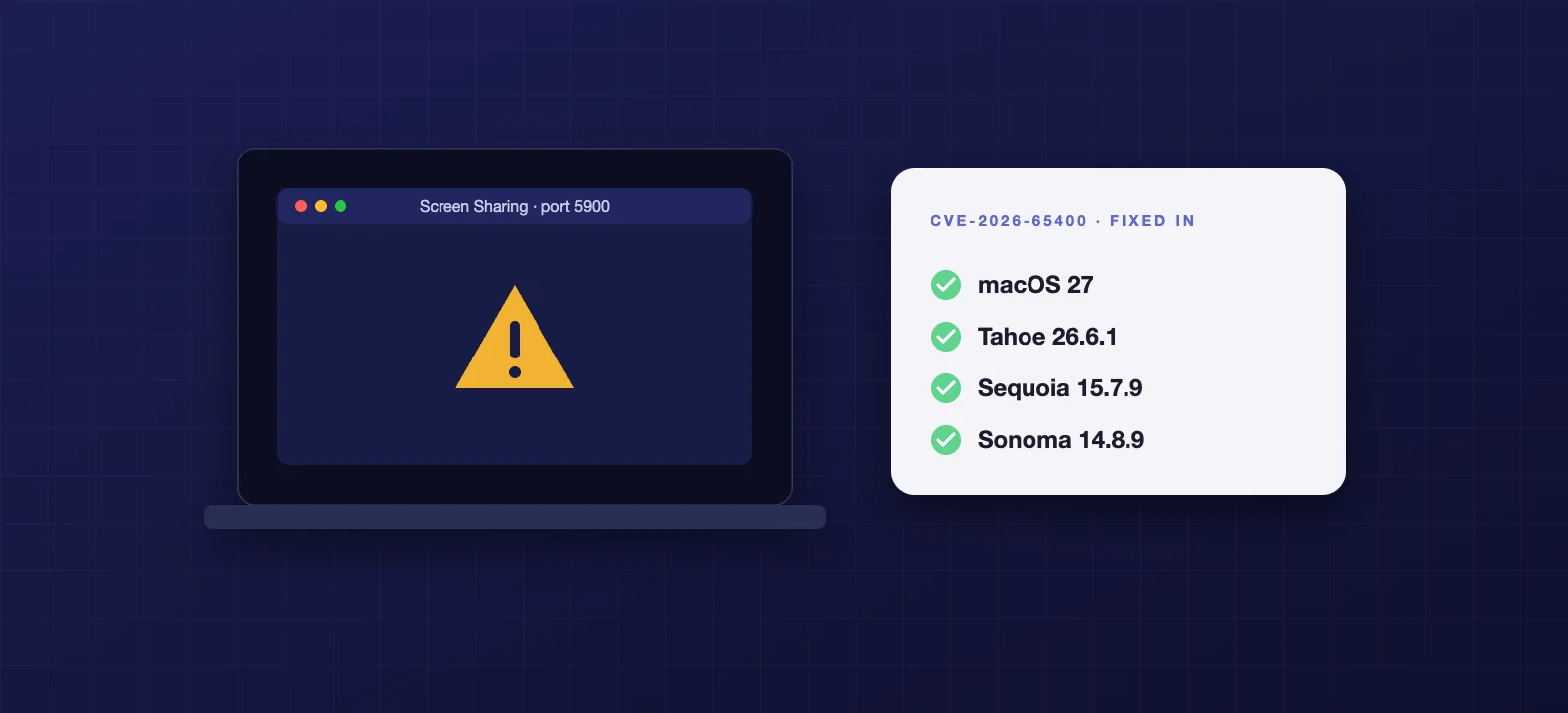
CVE-2026-65400 lets an attacker on the network sign in to a Mac's Screen Sharing without a password, and it's being used. Apple fixed it on 6 August 2026 in macOS Tahoe 26.6.1, Sequoia 15.7.9 and Sonoma 14.8.9, and it's fixed in macOS 27. If every Mac you run is on one of those versions or later, you're patched. If Screen Sharing is switched on anywhere it isn't needed, switch it off. And make sure no Mac has port 5900 open to the internet.
That's the short version. Here's the detail, and how to check a whole fleet rather than one Mac at a time.
What the flaw does
Screen Sharing is the macOS feature that lets someone view and control a Mac remotely. It sits behind the Screen Sharing and Remote Management switches in System Settings, and it listens on TCP port 5900.
Apple's own description is short: "An attacker on the network may be able to authenticate to Screen Sharing without valid credentials." In other words, the password check could be skipped. Once in, an attacker can do whatever Screen Sharing allows, which is watch and control the Mac.
Apple credits the find to Alfredo Pesoli via Bynario Atlas. It's rated 9.8 out of 10 for severity.
It's being used
Apple shipped the fix on 6 August. Later in August the Dutch National Cyber Security Centre, NCSC-NL, warned that it was being abused. In its updated advisory, reported by The Hacker News (opens in a new tab), it said the attacks hit systems where port 5900 was reachable from the internet, and that "in all these cases, root had gained access to the affected system and placed a Monero crypto miner."
The US Cybersecurity and Infrastructure Security Agency added it to its Known Exploited Vulnerabilities catalogue (opens in a new tab) on 18 August and gave US federal agencies three days to fix it. Apple listed the fix again in the September updates, including macOS Tahoe 26.7 (opens in a new tab).
The UK NCSC hasn't issued its own advisory for this one, as of 27 September. Some reports just say "NCSC", which reads as British. It was the Dutch agency. That doesn't make it less urgent for UK businesses.
A cryptominer is the mild outcome. An attacker with root on a Mac can take whatever is on it, including saved passwords and the files your team works on.
Which Macs are exposed
A Mac is at risk if all three are true:
- It's running an unpatched version, older than Tahoe 26.6.1, Sequoia 15.7.9 or Sonoma 14.8.9, and not on macOS 27.
- Screen Sharing or Remote Management is switched on.
- An attacker can reach port 5900. The attacks reported so far were over the internet, but the flaw works from any network the attacker is on, including an office Wi-Fi or a shared co-working network.
Take away any one of those and the attack described here doesn't work. Patching removes the first. Switching the service off removes the second. A firewall rule covers the third.
Check the whole fleet, not one Mac
Confirm versions in your MDM. Jamf, Mosyle, Iru and Intune all report the macOS version of every enrolled Mac. Filter for anything below the fixed versions above. That's your list.
Set a deadline for the update. On a managed fleet, use your MDM's declarative software update settings to enforce the latest update by a date and time, rather than waiting for people to click. Macs install it at the deadline whether or not anyone got round to it. Our macOS 27 upgrade checklist covers how enforcement works, and why the old update commands no longer do anything on macOS 27.
Find out where Screen Sharing is on. Your MDM may report sharing settings; if not, check a single Mac in System Settings, General, Sharing, or have your MDM run a quick script across the fleet.
Switch it off where it isn't needed
Most teams don't need Screen Sharing running on every Mac. It's often switched on once for a support call and never switched off.
To turn it off across a fleet, use the MDM command. Apple's device management includes a Disable Remote Desktop (opens in a new tab) command, which most MDMs expose as an action you can send to a group of Macs. Jamf Pro lists it among its remote commands, so it can go to a whole smart group at once.
Then lock the setting. The restriction called allowARDRemoteManagementModification stops users changing the Remote Management setting in System Settings. It's useful for keeping the service off once you've turned it off.
Two restrictions that look relevant but aren't. That same restriction doesn't switch Screen Sharing off on its own: it only locks the switch in whatever position it's in. And allowRemoteScreenObservation is only about the Classroom app watching student screens. Neither stops the service running.
If you do need remote access to Macs, keep it inside your office network or a VPN, or use a remote support tool that doesn't need an open inbound port.
Close port 5900 at the edge
Check your firewall or router for any rule that forwards TCP 5900 to a Mac. It's the kind of rule someone adds for a single job and forgets. If one exists and you can't name the reason, remove it. No Mac in a business should have Screen Sharing open to the whole internet.
The checklist
- Patch every Mac to macOS Tahoe 26.6.1, Sequoia 15.7.9, Sonoma 14.8.9 or later, or macOS 27.
- Confirm it in your MDM inventory, not by asking people.
- Enforce the update with a deadline using declarative software update settings.
- Switch Screen Sharing and Remote Management off where they aren't needed, using the Disable Remote Desktop command.
- Lock the setting with the remote management restriction.
- Remove any firewall rule that exposes port 5900.
- Keep any remote access you need behind the office network, a VPN or a proper remote support tool.
A Mac still on Sonoma is also worth a second look for a different reason: it's the version expected to drop out of Apple's security updates now that macOS 27 has shipped.
If you'd rather not chase this yourself
For the fleets we manage, a flaw like this is a morning's work: check versions in the MDM, set the update deadline, switch off the services nobody uses, and confirm nothing is exposed. That's what our Mac security work looks like day to day.
Frequently asked questions
- Which macOS versions fix CVE-2026-65400?
- Apple fixed it on 6 August 2026 in macOS Tahoe 26.6.1, Sequoia 15.7.9 and Sonoma 14.8.9, and it is also fixed in macOS 27. Any Mac on those versions or later is patched. Anything older is exposed if Screen Sharing or Remote Management is switched on and reachable.
- Is my Mac at risk if Screen Sharing is turned off?
- The flaw is in the Screen Sharing service, so a Mac with Screen Sharing and Remote Management both switched off is not reachable through it. Check System Settings, General, Sharing on each Mac, or use your MDM to confirm the service state across the fleet. Patch anyway: a setting can be switched back on later.
- Has the UK NCSC issued an advisory?
- Not for this vulnerability, as of 27 September 2026. The exploitation warning came from the Dutch National Cyber Security Centre (NCSC-NL), and the US agency CISA added it to its list of known exploited vulnerabilities on 18 August. UK businesses should treat it as actively exploited all the same.
- Does the MDM restriction for remote management turn Screen Sharing off?
- No. The allowARDRemoteManagementModification restriction only stops users changing the Remote Management setting in System Settings. To switch the service off, send your MDM's Disable Remote Desktop command, or turn it off in the Sharing settings, then use the restriction to keep it off.
- Do we need Screen Sharing at all?
- Often not. Many teams switched it on once for remote support and forgot about it. If your IT provider uses a separate remote support tool, or you only need Screen Sharing inside the office network or a VPN, switch it off everywhere else and never expose port 5900 to the internet.